
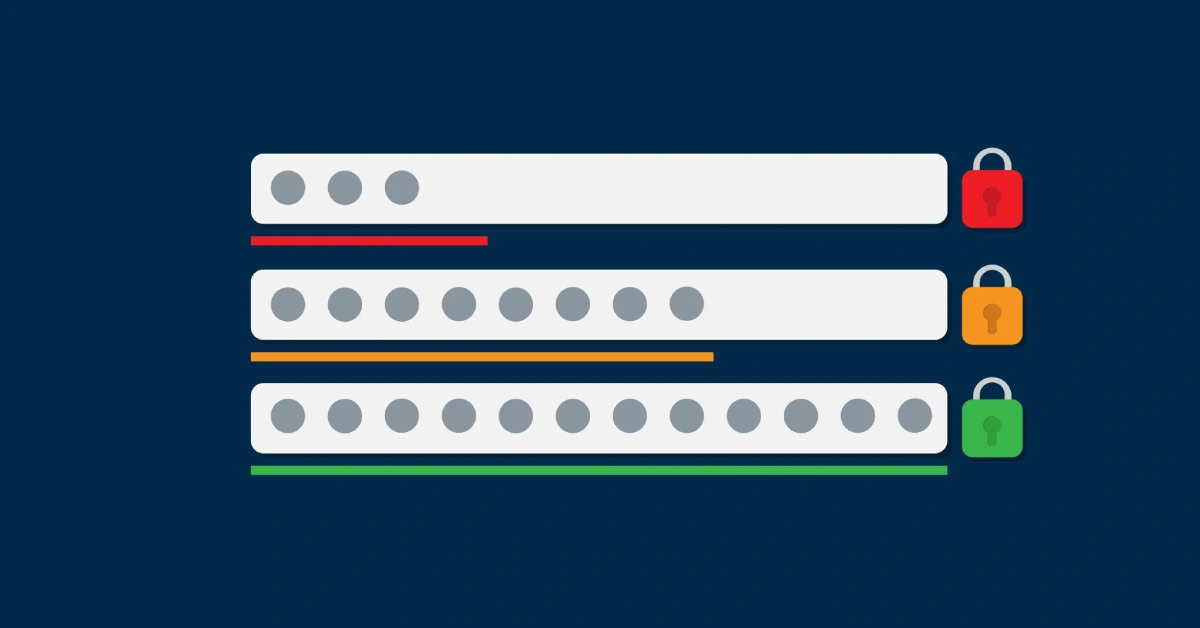
Strong passwords in 2025 must be at least 12-16 characters long, combining uppercase letters, lowercase letters, numbers, and symbols. Avoid personal information, dictionary words, and predictable patterns. Use a unique password for each account and enable two-factor authentication for maximum security.
Cybercriminals cause over 80% of data breaches using weak or stolen passwords. Your birthday, pet’s name, or “password123” won’t cut it anymore. Hackers now use AI-powered tools that can guess millions of password combinations per second.
You need a solid defense strategy for 2025. This guide will show you exactly how to create unbreakable passwords, avoid common mistakes, and choose the right tools to protect every account you own.
By the end of this article, you’ll have everything you need to secure your digital life against today’s most sophisticated cyber threats.
Why Weak Passwords Still Dominate Cyber Attacks
Weak passwords remain the primary entry point for cybercriminals in 2025. Despite years of security awareness, most people still use predictable combinations that take seconds to crack.
Here’s what makes passwords vulnerable today. Hackers use sophisticated dictionary attacks that test millions of common word combinations. They also employ “credential stuffing” attacks, where stolen passwords from one breach get tested across hundreds of other sites.
Modern hacking tools can test 10,000 password combinations per second, making short passwords useless. A six-character password that once took days to crack now falls in minutes.
The cost of weak security keeps rising. Companies lose an average of $4.45 million per data breach, while individuals face identity theft, financial fraud, and compromised personal information.
Password Length Requirements for 2025
Security experts recommend passwords of at least 12 characters, but 14-16 characters provide better protection. Length matters more than complexity because it exponentially increases cracking time.
The National Cybersecurity Alliance now recommends 16-character minimums for sensitive accounts. Each additional character makes your password exponentially harder to crack.
The Mathematics Behind Password Strength
A 12-character password with mixed characters creates over 95 trillion possible combinations. A 16-character password jumps to over 7 quintillion combinations, making brute force attacks practically impossible.
Password Length Strength Comparison:
| Password Length | Character Mix | Crack Time* |
|---|---|---|
| 8 characters | Letters, numbers, symbols | 39 minutes |
| 12 characters | Letters, numbers, symbols | 226 years |
| 16 characters | Letters, numbers, symbols | 92 billion years |
*Assumes modern hacking tools testing 10,000 combinations per second
Essential Password Creation Rules
Creating bulletproof passwords requires following specific guidelines that address modern security threats. These rules form the foundation of password security in 2025.
Character Combination Requirements
Strong passwords must include uppercase letters, lowercase letters, numbers, and special symbols, such as punctuation marks. This mix creates unpredictable patterns that resist automated attacks.
Your password should include:
- At least 3 uppercase letters (A-Z)
- At least 3 lowercase letters (a-z)
- At least 2 numbers (0-9)
- At least 2 special characters (!@#$%^&*)
What to Avoid in Password Creation
Never use personal information that others could discover or guess. This includes your name, family members’ names, birthdays, addresses, or phone numbers.
Common mistakes that compromise security:
- Dictionary words in any language
- Sequential patterns like “123456” or “abcdef”
- Keyboard patterns like “qwerty” or “asdfgh”
- Simple substitutions like “@” for “a” or “3” for “e”
- Repeated characters or words
Strong vs Weak Password Examples
Understanding the difference between secure and vulnerable passwords helps you avoid common pitfalls. These real-world examples show what works and what fails.
Weak Password Examples (Never Use These):
| Weak Password | Why It’s Vulnerable | Crack Time |
|---|---|---|
| password123 | Dictionary word + predictable numbers | Under 1 second |
| John1985! | Personal info + birth year | Under 1 minute |
| qwerty@123 | Keyboard pattern + common numbers | Under 5 minutes |
| Liverpool2024 | Team name + current year | Under 10 minutes |
Strong Password Examples:
| Strong Password | Why It Works | Estimated Crack Time |
|---|---|---|
| M9$kL2!pR7&qX3 | Random mixed characters, 14 length | 2,000+ years |
| Tree#45$Moon!91 | Unrelated words + symbols + numbers | 500+ years |
| 7!Bk@Zm3$Wx9Qp | No patterns, full character mix | 10,000+ years |
Creating Memorable Strong Passwords
Use the “passphrase method” to create long, memorable passwords. Combine 3-4 unrelated words with numbers and symbols between them.
Examples:
- “Coffee$Train#67Purple!”
- “Mountain@Fire$23Ocean!”
- “Piano&Storm!45Garden#”
This approach creates 20+ character passwords that are both secure and easier to remember than random strings.
How to Create Strong Passwords That Work
Follow this step-by-step process to generate secure passwords for all your accounts. This method takes 2-3 minutes per password but provides maximum protection.
Step-by-Step Password Creation Process
- Choose Your Base Method: Pick either the random generation method or the memorable passphrase approach
- Set Minimum Length: Aim for 14-16 characters minimum for important accounts
- Mix Character Types: Include all four character categories (upper, lower, numbers, symbols)
- Test Uniqueness: Ensure each password differs completely from your other passwords
- Verify Strength: Use a password strength checker before saving
The Random Generation Method
Start with a password generator tool that creates truly random combinations. Most security experts recommend 15+ character random passwords for maximum protection.
Good password generators include:
- Built-in browser tools (Chrome, Firefox, Safari)
- Password manager generators
- Standalone security tools
The Memorable Passphrase Method
Create longer passwords using unrelated words, numbers, and symbols. This method produces passwords you can actually remember while maintaining security.
Template: [Word1][Symbol][Number][Word2][Symbol][Number][Word3]
Example process:
- Pick random words: “Tiger,” “Cloud,” “Music”
- Add symbols and numbers: “Tiger&47Cloud$Music@91”
- Result: 23-character strong password
Password Managers: Your Security Solution
The best passwords are ones you can’t easily remember, which is why password managers are crucial for online security. These tools solve the impossible challenge of creating and remembering unique passwords for every account.
Password managers encrypt and store all your passwords behind one master password. They also generate random passwords, autofill login forms, and sync across all your devices.
Top Password Manager Options for 2025
Security experts rank RoboForm as the best password manager of 2025, offering passwordless logins for under $1 per month. However, several excellent options meet different needs and budgets.
Best Password Manager Comparison:
| Password Manager | Monthly Cost | Key Features | Best For |
|---|---|---|---|
| RoboForm | $0.83 | Passwordless login, simple interface | Beginners |
| 1Password | $2.99 | Watchtower, Travel Mode, family sharing | Power users |
| NordPass | $1.49 | Biometric login, secure sharing | Privacy-focused |
| Bitwarden | Free/$3 | Open source, unlimited devices | Budget-conscious |
| Keeper | $2.91 | High-end security, breach monitoring | Business users |
Free vs Paid Password Manager Features
Free password managers offer basic password storage and generation. Paid versions add advanced features like secure sharing, breach monitoring, and priority support.
Free features typically include:
- Basic password storage (50-100 passwords)
- Password generation
- Single device sync
- Basic two-factor authentication
Premium features worth paying for:
- Unlimited password storage
- Multi-device sync
- Secure password sharing
- Dark web monitoring
- Emergency access options
Multi-Factor Authentication Setup
Adding Multi-Factor Authentication (MFA) provides an extra security layer and ranks among the top password security tips for 2025. Even if someone cracks your password, they still can’t access your account without the second factor.
MFA requires two or more verification methods to grant access. This typically combines something you know (password) with something you have (phone) or something you are (fingerprint).
Types of Two-Factor Authentication
- SMS Text Messages: Convenient but vulnerable to SIM swapping attacks. Use only when better options aren’t available.
- Authenticator Apps: More secure than SMS. Popular options include Google Authenticator, Authy, and Microsoft Authenticator.
- Hardware Keys: Highest security level using physical devices like YubiKey or Google Titan. Recommended for sensitive accounts.
- Biometric Authentication: Fingerprint or face recognition. Excellent for mobile devices and modern laptops.
Which Accounts Need MFA
Prioritize MFA setup on these critical accounts:
- Email accounts (especially primary email)
- Banking and financial services
- Cloud storage services
- Social media accounts
- Work-related applications
- Password manager account
Enable MFA on every account that offers it. The minor inconvenience of extra verification steps pays massive security dividends.
Future-Proofing Your Password Security
Cyber threats continue to change as criminals develop new attack methods. Stay ahead of emerging risks by understanding what’s coming and preparing accordingly.
AI-powered password cracking tools are becoming more sophisticated, making traditional password patterns easier to predict. Criminals also use machine learning to identify patterns in leaked password databases.
Emerging Password Threats
- AI-Powered Attacks: Machine learning algorithms can predict password patterns based on personal information scraped from social media and data breaches.
- Quantum Computing Risks: Future quantum computers might crack current encryption methods, requiring new password standards.
- Deepfake Social Engineering: Criminals use AI-generated audio and video to trick people into revealing passwords during fake customer service calls.
Staying Secure in 2025 and Beyond
Regular password updates remain important, but focus on unique passwords over frequent changes. Update passwords immediately if a service reports a breach.
Monitor your accounts for suspicious activity using:
- Account alert notifications
- Credit monitoring services
- Password manager breach alerts
- Regular security checkups
Consider passwordless authentication methods like passkeys when available. These use device-based cryptographic keys instead of traditional passwords, providing stronger security with a better user experience.
Conclusion
Strong password security in 2025 requires more than just mixing letters and numbers. You need 14-16 character passwords, unique combinations for every account, and reliable password management tools.
The investment in proper password security pays immediate dividends. A quality password manager costs less than $3 per month but protects thousands of dollars in potential fraud losses and countless hours of account recovery time.
Start today by choosing a reputable password manager, enabling two-factor authentication on critical accounts, and gradually replacing weak passwords with strong alternatives. Your future self will thank you for taking these security steps seriously.
Remember: the strongest password is one that’s unique, long, complex, and properly managed. With the right tools and habits, you can protect your digital life without sacrificing convenience.